Desktop app · macOS
Compose worlds by dragging layers.
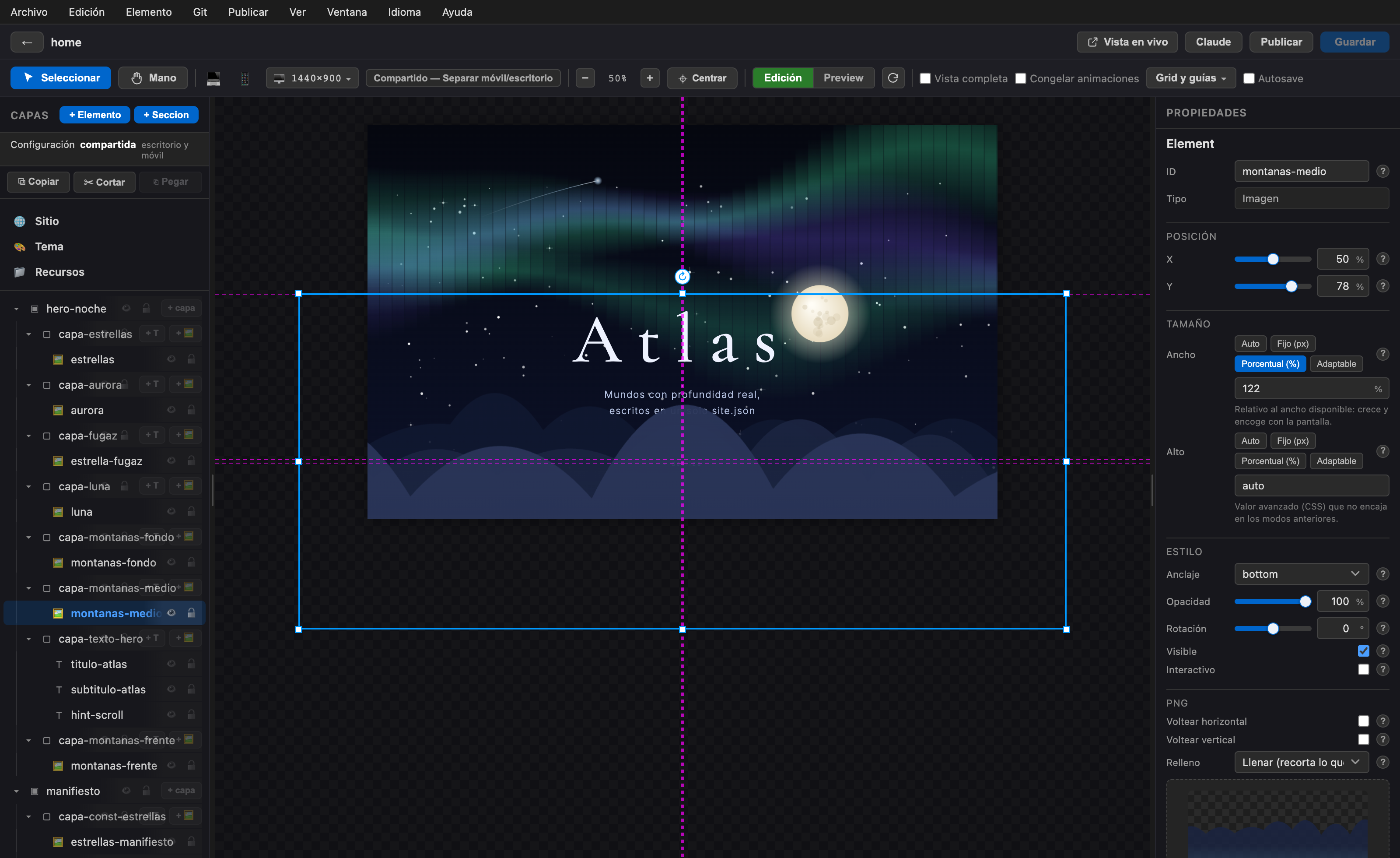
The Parallax Editor is an Illustrator-style visual editor that puts the engine in your hands: organize layers, edit content, lean on AI, and publish your site in one click. Designed to create without writing code.
How it works
From canvas to web, without friction.
-
01
Visual editor
Drag, scale, and arrange layers in a familiar canvas, just like a professional design tool.
-
02
Edit content
Change text, images, and per-scene settings directly, with instant preview.
-
03
Claude assistant
Ask for changes in natural language and let the AI draft, tweak, and suggest improvements to your site.
-
04
Publish
When everything is ready, publish in one click and share your world with the world.

Bring the engine to your desktop.
Download Parallax Editor and start composing your own immersive websites today.
Signed & notarized by Apple. Drag it to Applications and double-click — no Gatekeeper warnings, no Terminal workaround. Compatible with Intel and Apple Silicon Macs.